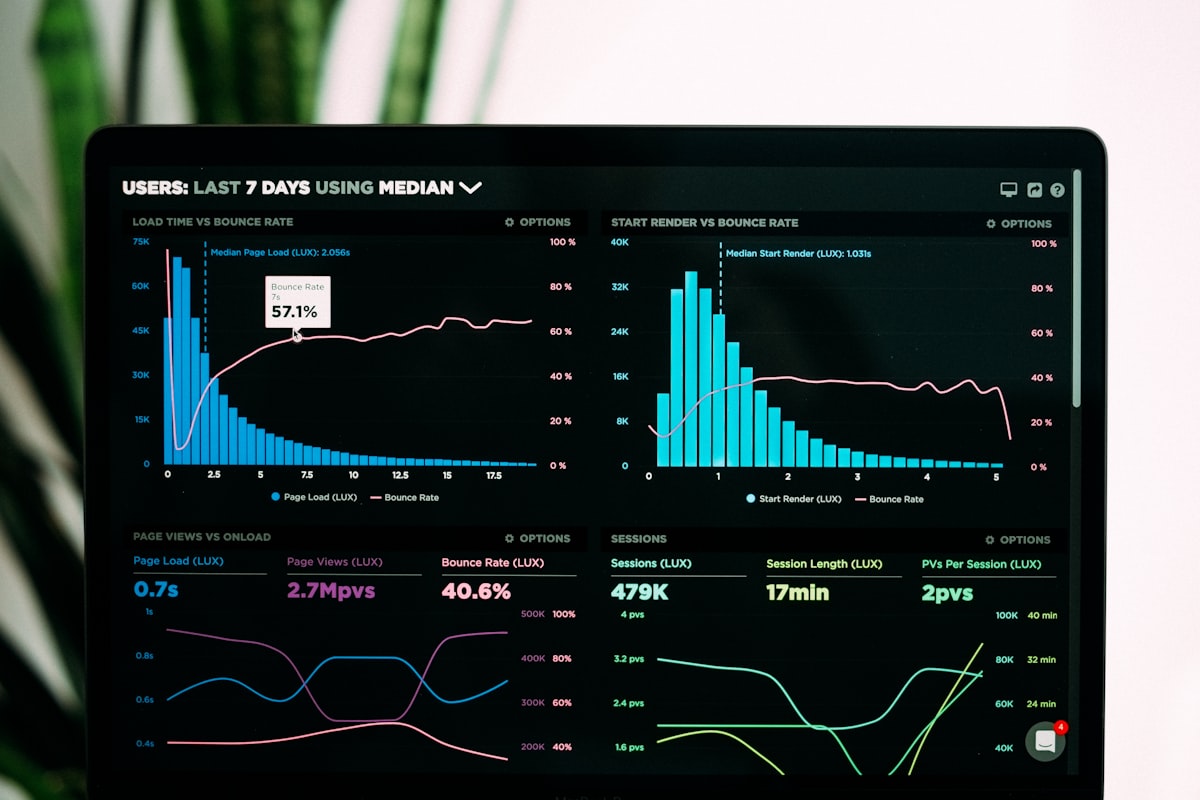
The Dashboard Overload Problem
Most organisations do not suffer from a lack of dashboards. They suffer from too many dashboards that nobody uses. The typical business intelligence deployment starts with enthusiasm — new tools are purchased, data is connected, and dozens of dashboards are built to visualise everything from sales performance to server uptime. Within six months, usage analytics tell a sobering story: a handful of dashboards are viewed regularly by a small group of people, while the majority sit untouched, their data connections quietly failing in the background.
The root cause of dashboard overload is building dashboards around available data rather than around business questions. When the starting point is a dataset rather than a decision, the result is a dashboard that shows everything the data contains but answers nothing in particular. Users open the dashboard, see a collection of charts and numbers, absorb none of it, and close the tab. The dashboard becomes digital wallpaper — technically present but functionally invisible. This pattern repeats across departments until the organisation has a portfolio of unused dashboards and a growing scepticism about the value of business intelligence.
Dashboard proliferation also creates a maintenance burden that consumes BI team resources without delivering value. Every dashboard has data connections that can break, calculations that may need updating when business rules change, and access permissions that require management. When the BI team is spending most of its time maintaining dashboards that nobody uses, it has no capacity to build the dashboards that people actually need. The organisation is paying the cost of business intelligence without receiving the benefit.
Breaking this cycle requires a fundamental shift in how dashboards are conceived, designed, and managed. Instead of asking what data can be visualised, the starting question must be what decisions need to be made, by whom, and with what frequency. This decision-first approach produces fewer dashboards, but each one is designed to support a specific decision process and is used regularly by its intended audience. Quality over quantity is the principle that separates valuable dashboard deployments from expensive shelf-ware.
Starting with Questions, Not Datasets
The most effective dashboards begin with a clearly articulated business question. Not a vague area of interest like sales performance, but a specific question that a specific person needs to answer on a regular basis. For example, a sales director might need to answer the question: are we on track to hit this quarter's revenue target, and if not, where are the gaps? This question immediately defines what the dashboard must show — current revenue versus target, pipeline coverage, conversion trends, and at-risk deals — and equally importantly, what it should not show.
Identifying the right questions requires direct engagement with the people who will use the dashboard. BI teams that build dashboards in isolation, however technically skilled, consistently miss the mark because they lack the contextual understanding of how decisions are actually made. A finance manager does not need to see every general ledger transaction — they need to see budget variances that exceed a threshold, with the ability to drill down to the transactions driving those variances. Understanding this distinction requires a conversation, not just a data model.
Each question should be paired with the action it enables. If the answer to the question does not lead to a specific action, the dashboard is informational rather than actionable. Informational dashboards have their place — providing general awareness of business performance — but they should be clearly distinguished from decision-support dashboards. Mixing informational and actionable content on the same dashboard dilutes the focus and makes it harder for users to identify the signals that require their attention among the noise of general metrics.
The question-driven approach also provides a natural framework for prioritising dashboard development. Questions that support frequent, high-impact decisions should be addressed first. Questions that support infrequent or low-impact decisions can be deferred or served through ad-hoc reports rather than maintained dashboards. This prioritisation ensures that BI team effort is allocated to the areas of greatest business value, and that every dashboard that is built has a clear business case for its existence.
Design Principles for Actionable Dashboards
Effective dashboard design follows a clear visual hierarchy that guides the user's eye from the most important information to supporting details. The primary metric or status indicator should be the most prominent element on the page, immediately answering the dashboard's central question. Supporting metrics and breakdowns occupy secondary positions, providing context and enabling exploration. Detail-level data is available through drill-downs rather than cluttering the main view. A well-designed dashboard can be scanned in five seconds to determine whether everything is normal, with deeper investigation available when something demands attention.
Colour should be used sparingly and meaningfully. The most common mistake is using colour for decoration rather than communication. Every colour on an actionable dashboard should encode information — typically performance status. Green means on track, amber means at risk, red means off track. When colour is used consistently in this way, users develop an instinctive response: a screen that is mostly green needs no further attention, while a flash of red draws the eye immediately to the area that needs action. Dashboards that use colour randomly — blue bars, orange lines, purple bubbles — waste this powerful communication channel on aesthetics.
The amount of information on a single dashboard view should be ruthlessly controlled. Research on visual cognition consistently shows that people can effectively monitor five to seven distinct metrics at a time. Beyond that threshold, comprehension degrades rapidly. If a decision process requires monitoring more than seven metrics, the solution is multiple focused dashboards rather than a single crowded one. Each dashboard should have a single clear purpose, and the relationship between related dashboards should be explicit — linking from a summary view to a detail view, for example.
Interactivity should support exploration without requiring it. The dashboard's default view should answer the primary question without any user action. Filters, drill-downs, and parameter selections should enable users to explore specific areas of interest or investigate anomalies, but the dashboard should never present a blank screen awaiting filter selections. The unfiltered view is the most important view, because it represents what the user sees every time they open the dashboard, and it must deliver immediate value.
Choosing the Right Visualisation Types
The choice of chart type should be driven by the type of comparison the user needs to make, not by what looks visually appealing. Bar charts are the workhorse of business dashboards because they excel at the most common business comparisons — comparing values across categories, showing changes over time, and displaying rankings. Their effectiveness comes from the fact that human visual perception can compare bar lengths with high accuracy and speed. When in doubt, a bar chart is almost always a safe and effective choice.
Line charts are the correct choice for showing trends over time when the continuity between data points is meaningful. A line connecting monthly revenue figures communicates that revenue is a continuous measure that flows from one month to the next. However, using a line chart to show revenue by product category would be misleading, because the line implies a continuous relationship between categories that does not exist. The distinction seems subtle but affects how users interpret the data — line charts emphasise trends and trajectories, while bar charts emphasise comparisons and magnitudes.
Tables are undervalued in dashboard design. When users need to look up specific values, compare exact numbers, or scan a list for outliers, a well-formatted table is more effective than any chart. Conditional formatting — highlighting cells that exceed thresholds or applying colour scales — can make tables almost as scannable as charts while preserving the precision that charts sacrifice. The key is formatting: a table with clear column headers, appropriate number formatting, and meaningful sorting is a powerful dashboard component, while a raw data dump is not.
Pie charts, gauges, and other novelty visualisations should be used with extreme caution. Pie charts are notoriously poor for comparing values because human visual perception cannot accurately compare angles or areas. A pie chart showing market share across six competitors tells the user almost nothing that a simple bar chart would not communicate more clearly. Gauges consume large amounts of screen space to communicate a single number and its position relative to a target — information that can be delivered more efficiently by a number with a colour indicator. Every pixel on a dashboard is valuable real estate, and visualisations that waste space on decoration rather than information reduce the overall effectiveness of the design.
Adding Context and Benchmarks
A number without context is meaningless. Telling a manager that this month's revenue is 1.2 million dollars tells them nothing unless they know whether that is good or bad, improving or declining, above or below expectations. Context transforms data into information, and information into insight. Every metric on a dashboard should be accompanied by at least one form of context — a comparison to target, a comparison to the same period last year, a trend line, or a benchmark against peers.
Targets and thresholds are the most direct form of context because they connect metrics to expectations. When a dashboard shows revenue of 1.2 million against a target of 1.4 million, the shortfall is immediately apparent and the user's attention is directed to investigating the gap. Setting meaningful targets requires collaboration between the BI team and business stakeholders, and the targets must be maintained in the system as business plans evolve. Outdated targets are worse than no targets, because they provide false context that leads to incorrect conclusions.
Historical comparisons provide context about trajectory. Showing the current month alongside the previous month, the same month last year, and a rolling average helps users distinguish between seasonal patterns, trends, and anomalies. A revenue dip that occurs every December due to seasonal factors requires a different response than a revenue dip that represents a new and unexpected decline. Without historical context, every movement looks like an anomaly, and managers cannot distinguish between signal and noise.
Benchmarking against internal or external peers adds a competitive dimension to dashboard metrics. A store manager whose sales are down 5% might be alarmed in isolation, but if the regional average is down 8%, the performance is actually relatively strong. Conversely, a manager whose sales are up 3% might feel comfortable, but if competitors are growing at 10%, the relative underperformance demands attention. Benchmarks are not always available, but where they can be incorporated, they add a dimension of context that significantly improves the quality of decisions the dashboard supports.
Sustaining Dashboard Value Over Time
The initial launch of a dashboard is only the beginning of its lifecycle. Dashboards that are not actively maintained and evolved lose their relevance and usefulness within months. Business priorities change, organisational structures shift, data sources are modified, and the questions that were relevant at launch may not be the questions that matter six months later. A dashboard governance process is needed to ensure that the portfolio of dashboards remains aligned with business needs and that underperforming dashboards are retired rather than allowed to accumulate.
Regular review sessions with dashboard stakeholders should be scheduled quarterly at minimum. These sessions assess whether each dashboard is still being used, whether the questions it addresses are still relevant, whether the data is still accurate and timely, and whether new questions have emerged that require new or modified dashboards. Stakeholders should be asked directly: what decisions did this dashboard help you make in the last quarter? If the answer is none, the dashboard either needs to be redesigned or retired.
Data quality monitoring is a critical component of dashboard sustainability. A dashboard that displays incorrect data is worse than no dashboard at all, because it leads to confident decisions based on wrong information. Automated data quality checks should verify that data sources are refreshing on schedule, that key metrics fall within expected ranges, and that data completeness meets defined thresholds. When a quality check fails, the dashboard should clearly indicate that the data may be unreliable, rather than silently displaying stale or incorrect figures.
Usage analytics provide objective evidence of dashboard value. Tracking which dashboards are viewed, by whom, how frequently, and for how long reveals which dashboards are genuinely useful and which are ignored. Dashboards with declining usage should be investigated — the decline may indicate that the dashboard has been superseded by a better source of information, that the underlying business question is no longer relevant, or that technical issues have degraded the user experience. In each case, the appropriate response is different, but usage data provides the starting point for the investigation.
Data Quality Monitoring and Usage Analytics
Data quality is the foundation upon which all dashboard value is built, and it must be actively monitored rather than assumed. Common data quality issues include missing records due to failed data loads, duplicate entries from integration errors, stale data from source systems that have changed their output format, and calculated metrics that produce incorrect results after a business rule change. Each of these issues can go undetected for weeks or months if there is no systematic monitoring in place, during which time users may be making decisions based on flawed information.
Implementing data quality rules requires collaboration between the BI team and business data owners. Business users understand what normal data looks like — they know that daily sales should fall within a certain range, that customer counts should not decrease, and that inventory values should reconcile with the general ledger. Translating this business knowledge into automated checks creates an early warning system that catches issues at the data layer before they propagate to dashboards and reports. Alerts should be routed to the people who can investigate and resolve them, with clear escalation paths for issues that affect critical reporting.
Usage analytics for dashboards should track not just page views but meaningful engagement metrics such as time spent on the dashboard, interaction with filters and drill-downs, and the frequency of return visits. A dashboard that is opened frequently but viewed for only a few seconds each time may indicate that users check it regularly but find little value, or conversely that the dashboard is so well designed that a quick glance provides all the information needed. Combining usage data with user feedback provides a complete picture of dashboard effectiveness.
The BI team should publish regular reports on both data quality and dashboard usage to demonstrate the value of the analytics platform and identify areas for improvement. Transparency about data quality builds user trust, and transparency about usage patterns creates accountability for dashboard consumers and producers alike. When stakeholders can see that their dashboards are being used and that the data is reliable, confidence in data-driven decision-making grows across the organisation.
How Dualbyte Can Help
Dualbyte helps organisations move beyond dashboard overload to build focused, actionable business intelligence that genuinely drives better decisions. Our BI consultants work with your business leaders to identify the critical questions that dashboards need to answer, design visualisations that communicate clearly and prompt action, and establish the data quality and governance processes that sustain dashboard value over time. We bring both technical expertise in leading BI platforms and practical experience in translating business requirements into effective visual analytics.
Our engagements typically begin with a dashboard audit that assesses your current portfolio — identifying which dashboards are actively used, which are underperforming, and where gaps exist between available dashboards and actual decision-making needs. From this audit, we develop a prioritised roadmap for dashboard development or redesign, ensuring that effort is directed toward the dashboards that will have the greatest business impact. We also establish data quality monitoring and usage analytics so that dashboard health can be maintained proactively.
If your organisation has invested in BI tools but is not seeing the decision-making improvements you expected, or if you are starting your BI journey and want to avoid the common pitfalls of dashboard overload, Dualbyte can help. Reach out to our analytics team for a conversation about your business intelligence goals and how we can help you build dashboards that deliver real, measurable value to your organisation.
Need help with implementation?
Get a free consultation with the DualByte team for your business technology needs.